FORMULATION R&D IN YOUR BROWSER

The formulation lab that runs in your tab.

Manage ingredients, design multi-level formulas with sub-formulations, run DOE, track batches and samples, and analyze test results — without spreadsheets, accounts, or installs.

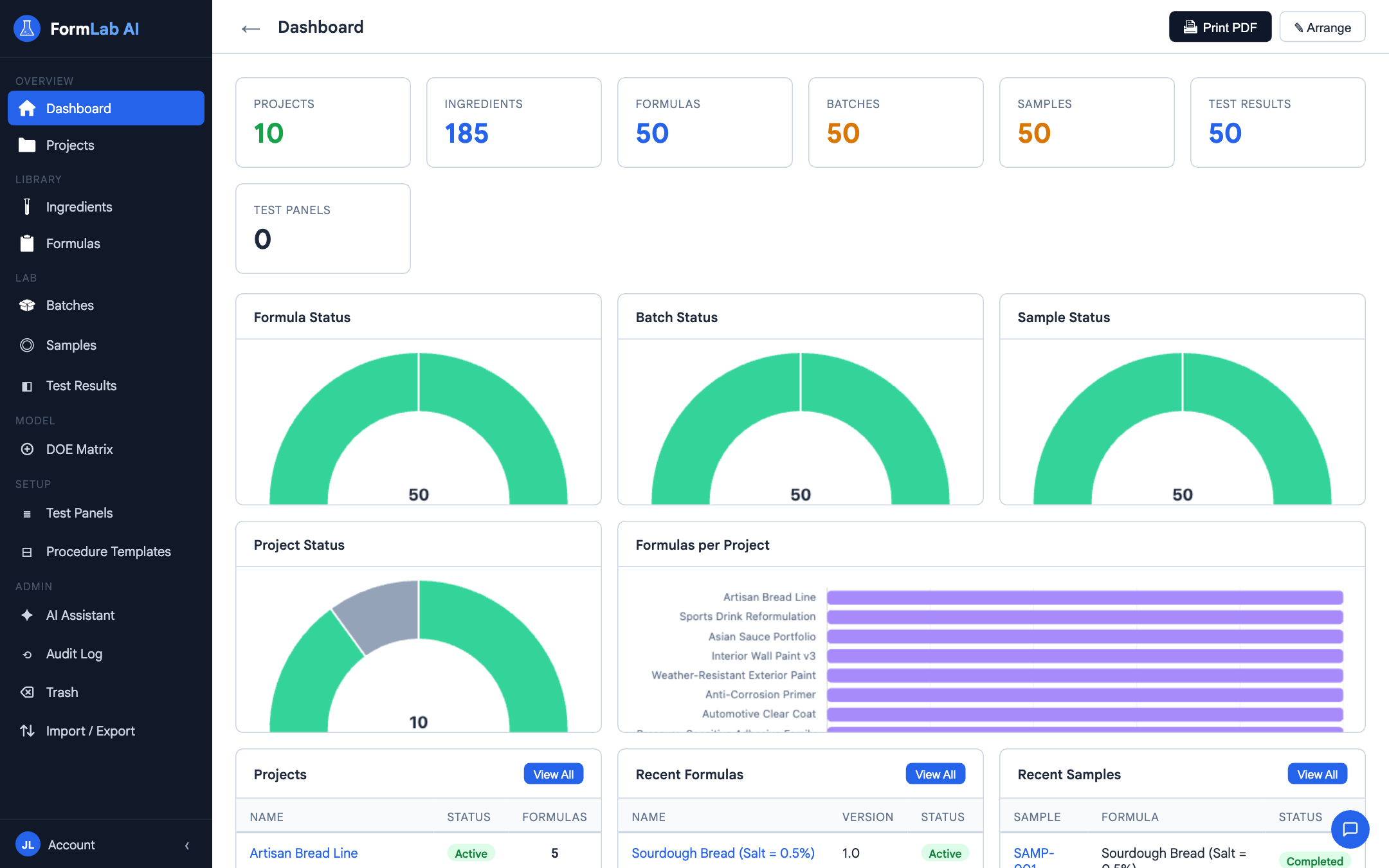
FormLab AI dashboard

Spreadsheets weren't built for this.

R&D teams end up juggling a workbook for ingredients, another for formulas, a third for batches, a fourth for test results — and no single place that ties them together. Version sprawl. Broken links. No traceability from raw material to final sample.

FormLab AI is one place for all of it — and it lives in a browser tab.

Everything a formulation workflow needs.

Formulation

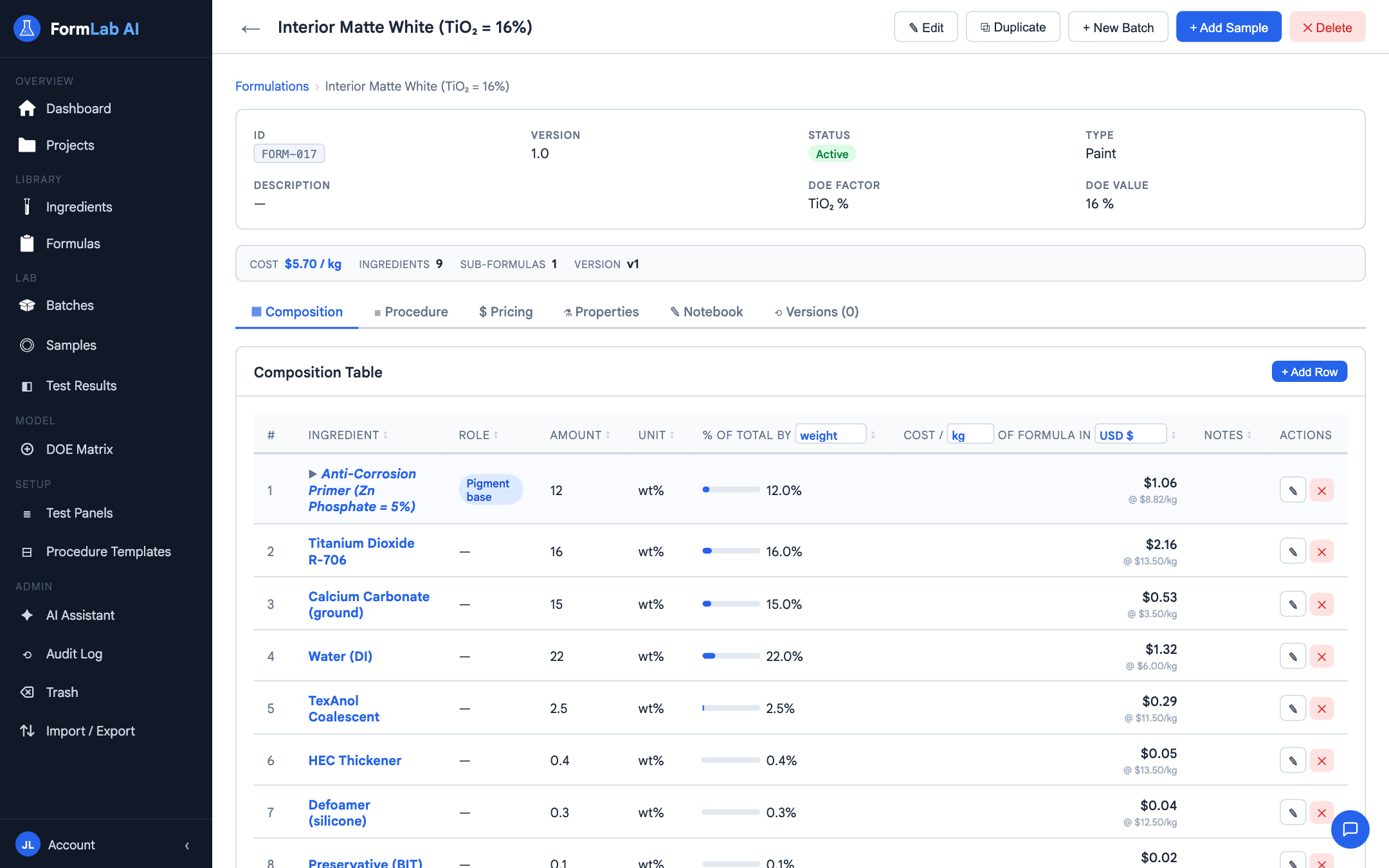
A formula editor that does the math for you.

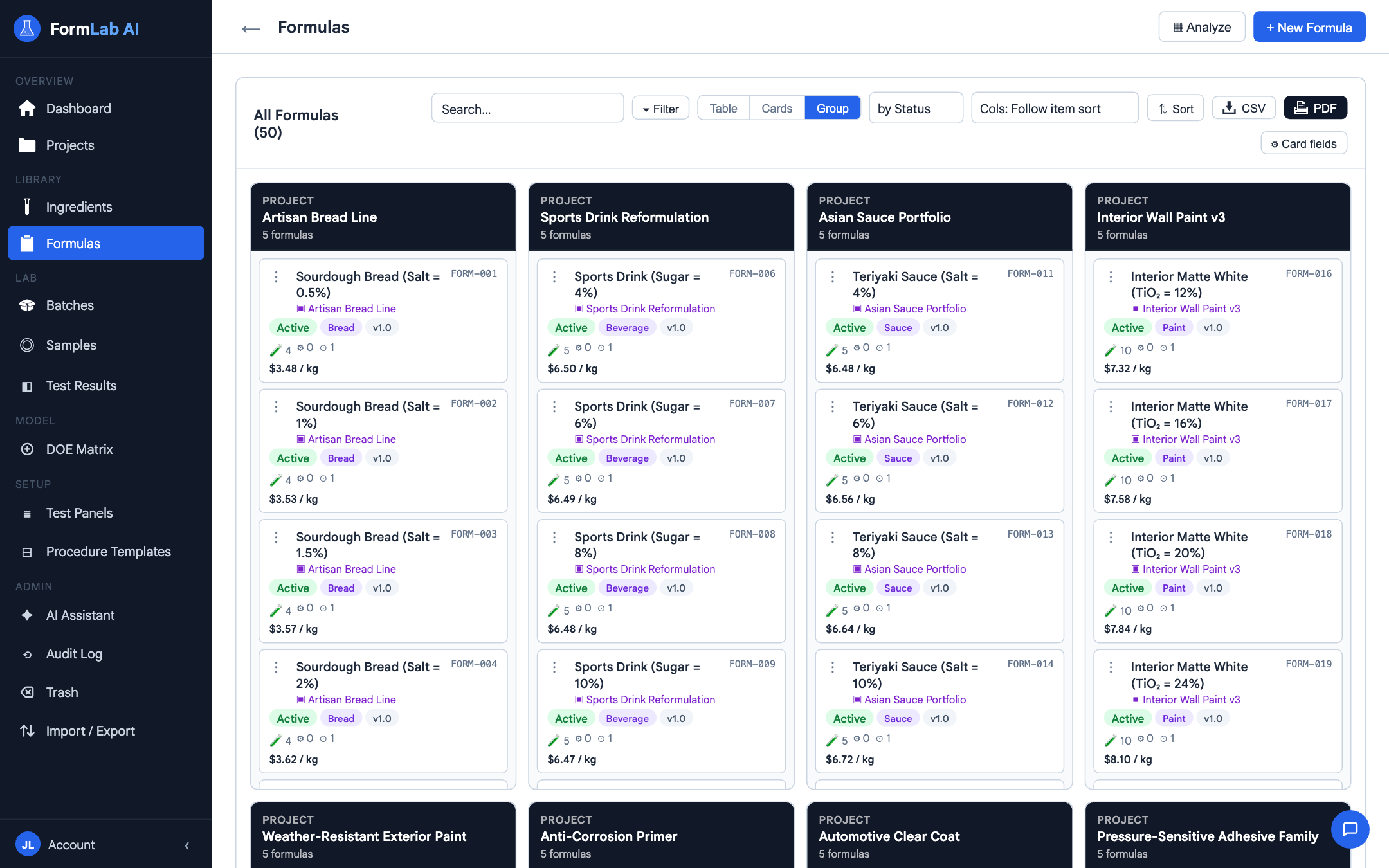
Build multi-ingredient formulations with auto-balancing to 100%, process steps, custom fields, and version history. Cost, density, and composition all roll up live as you edit.

  • Auto-balance composition to 100%
  • Process step builder per formula
  • Custom fields without code
Formulation editor

Sub-formulations

Nest a formula inside another formula.

Premixes, masterbatches, intermediates — FormLab lets you use one formula as an ingredient inside another. Composition, cost, and unit math roll up automatically, however deep the hierarchy goes.

  • Unlimited nesting depth
  • Parent recalculates when a child changes
  • Hierarchy view shows the full tree
Sub-formulation hierarchy

Design of Experiments

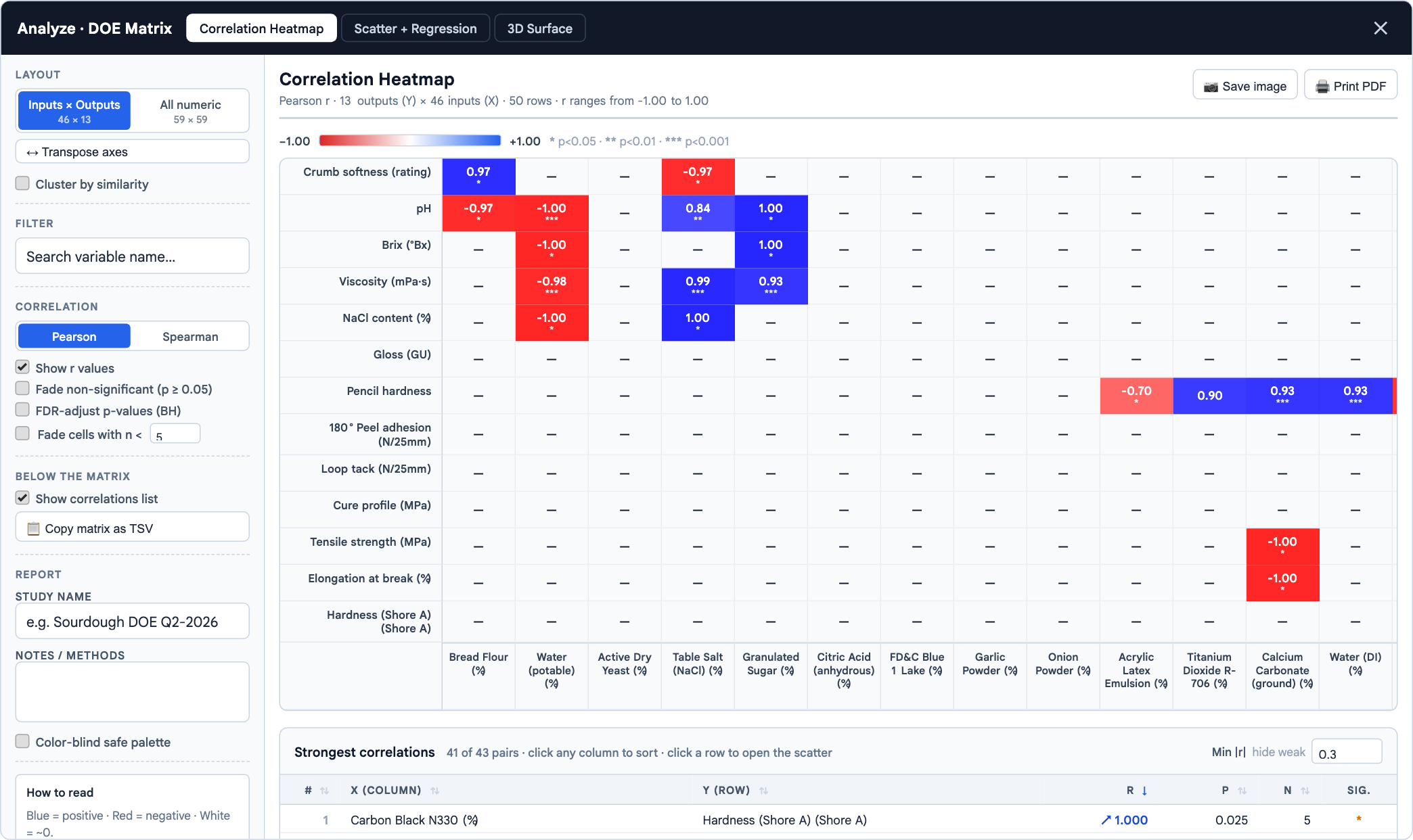
See the relationships in your data at a glance.

Build a DOE matrix across formula sets, drop results back in, then turn the whole thing into a correlation heatmap — Pearson or Spearman, with FDR control and a strongest-correlations table. Spot the factors that actually matter.

  • Cross-formula DOE matrix builder
  • Correlation heatmap with FDR-adjusted p-values
  • Cluster by similarity, filter variables, transpose axes
DOE correlation heatmap

3D Response Surface

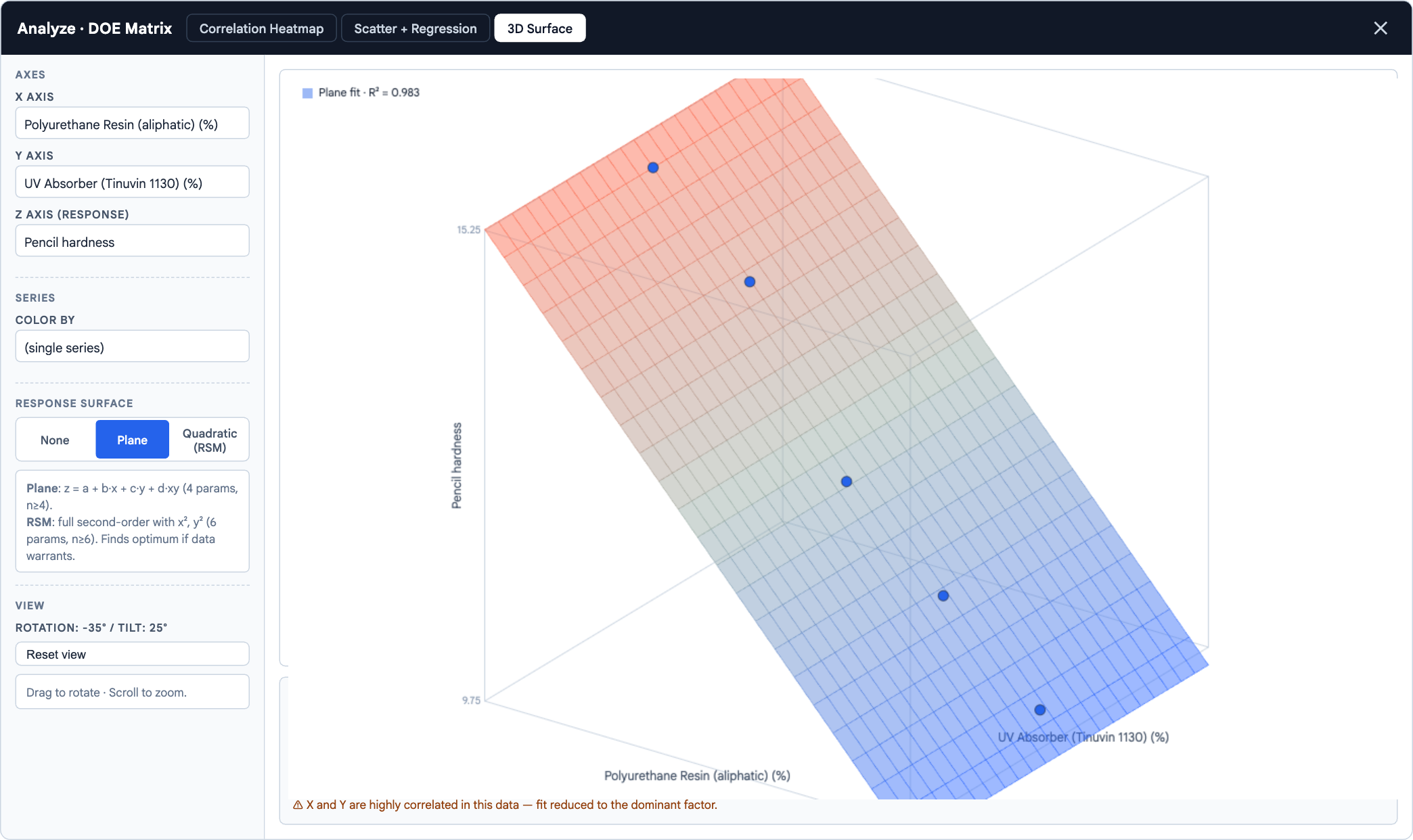
Drill into any two factors. Fit a surface. Read the R².

Pick any two inputs and an output, and FormLab fits a plane or full quadratic response surface — with R², collinearity checks, and drag-to-rotate 3D view. Find the optimum without ever leaving the browser.

  • Plane fit and quadratic (RSM) response surfaces
  • R², collinearity flagging, point-count guards
  • Color by formulation, batch, status — or hold single-series
3D response surface analysis

Auto unit conversion

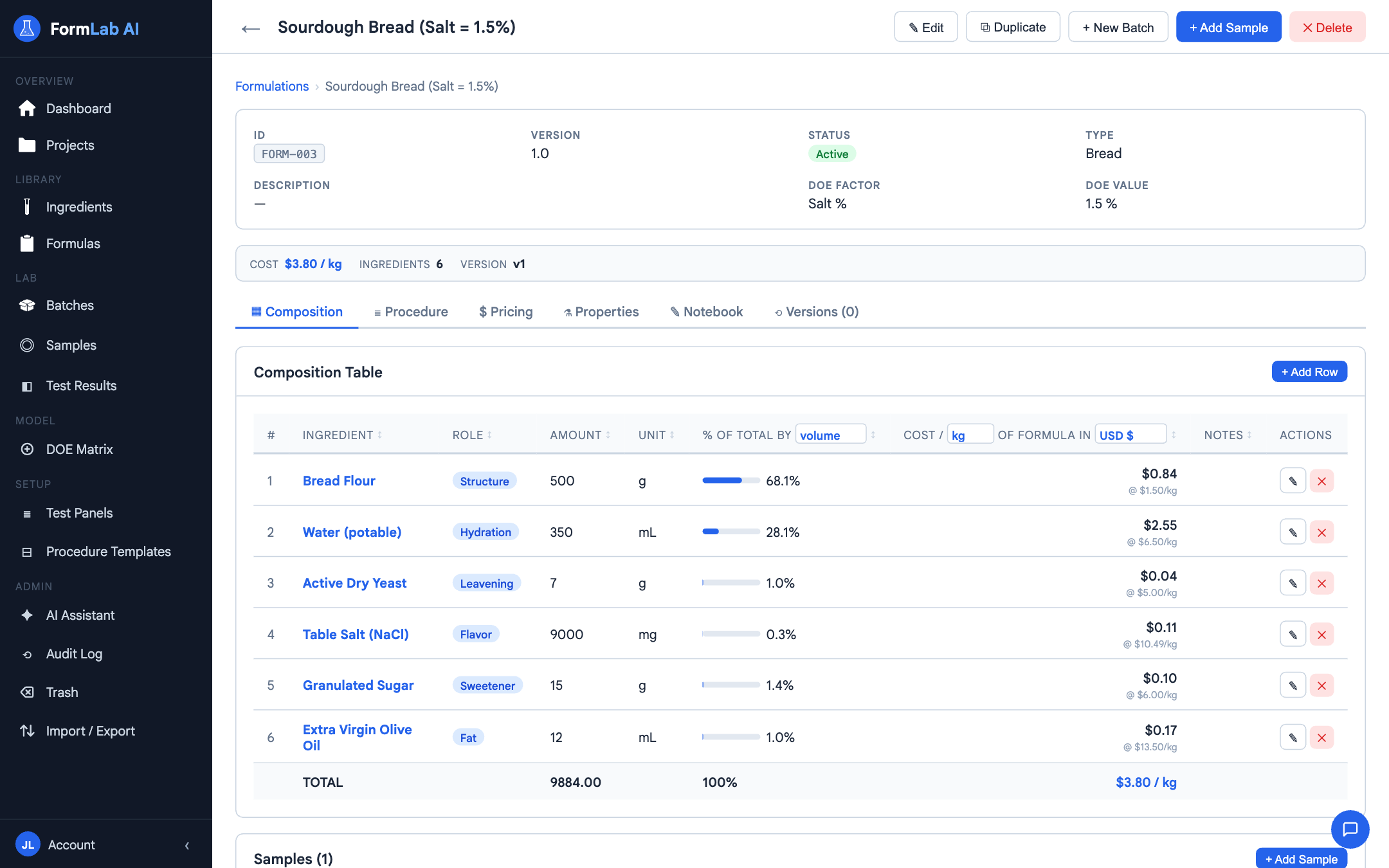
Mix units freely — FormLab keeps the math honest.

Mass, volume, and moles convert automatically using each ingredient's density and molecular weight. Enter a recipe in grams, see it in mL or mmol — and trust the totals.

  • g ↔ mL ↔ mol ↔ % w/w ↔ % v/v
  • Density & MW per ingredient
  • Composition stays consistent across unit views
Auto unit conversion

Auto currency conversion

Supplier prices in any currency. Cost in yours.

Enter supplier prices however they're quoted — USD, EUR, CNY, JPY — and FormLab rolls them up into formula cost in your chosen reporting currency. No spreadsheet macros, no manual conversion.

  • Per-ingredient pricing in any currency
  • Configurable reporting currency
  • Cost recalculates when rates change
Auto currency conversion

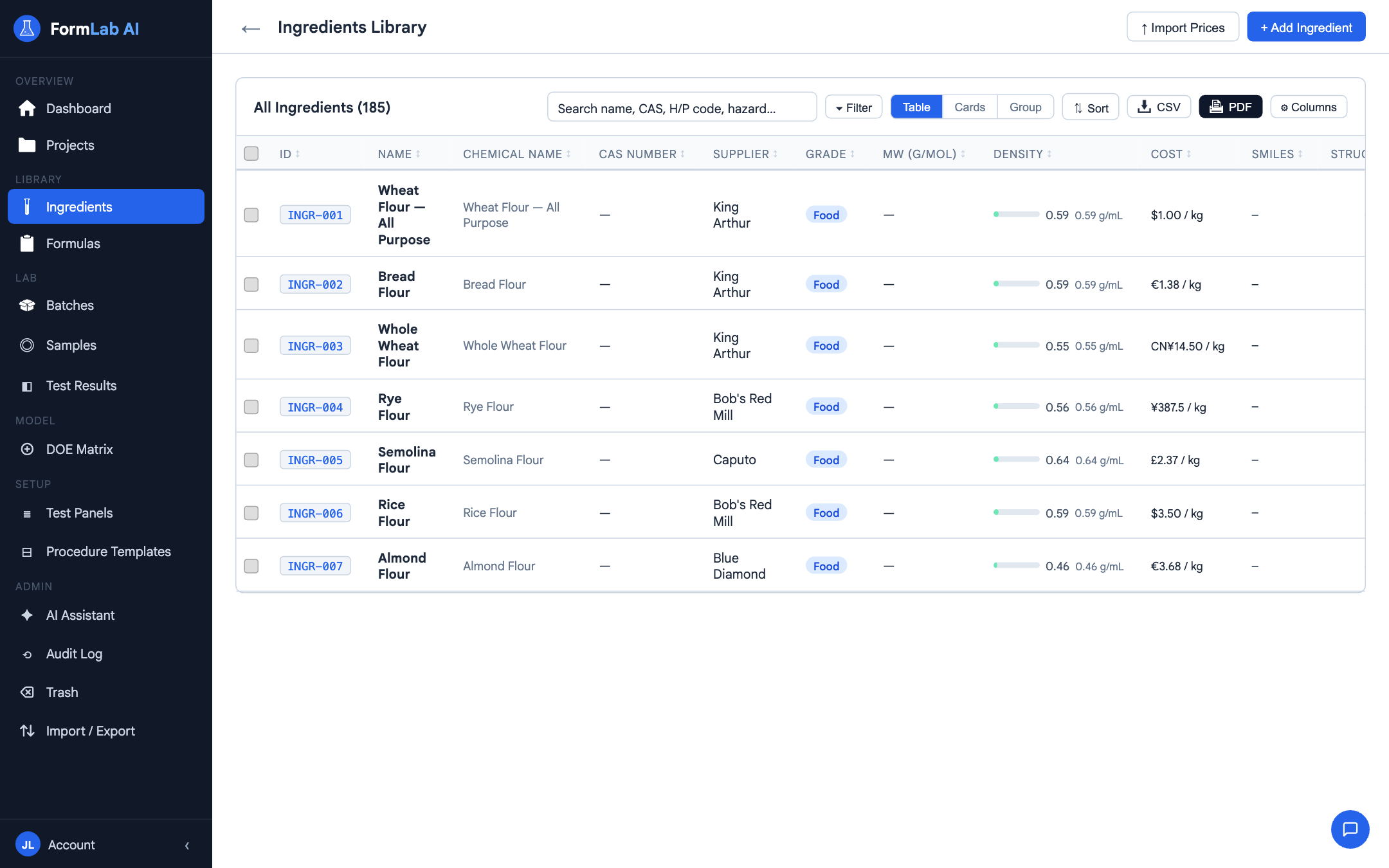
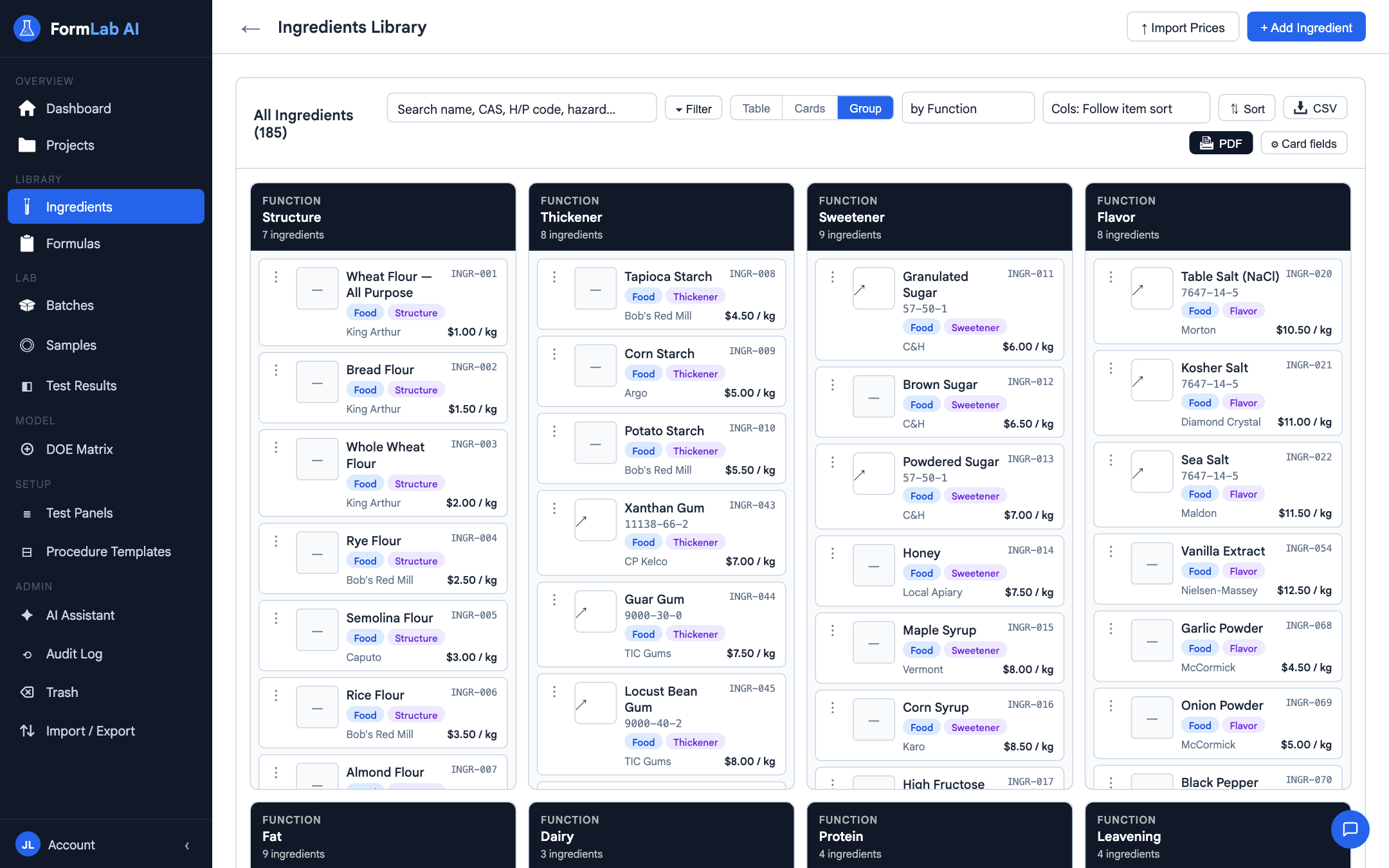
Ingredient management

One library. Every formula stays in sync.

A central ingredient library with CAS, supplier, density, MW, price, and custom fields. Update one ingredient and every formula that uses it recalculates immediately.

  • CAS, supplier, density, MW, price, custom fields
  • Search, filter, bulk edit
  • Used-by view shows every dependent formula
Ingredient library

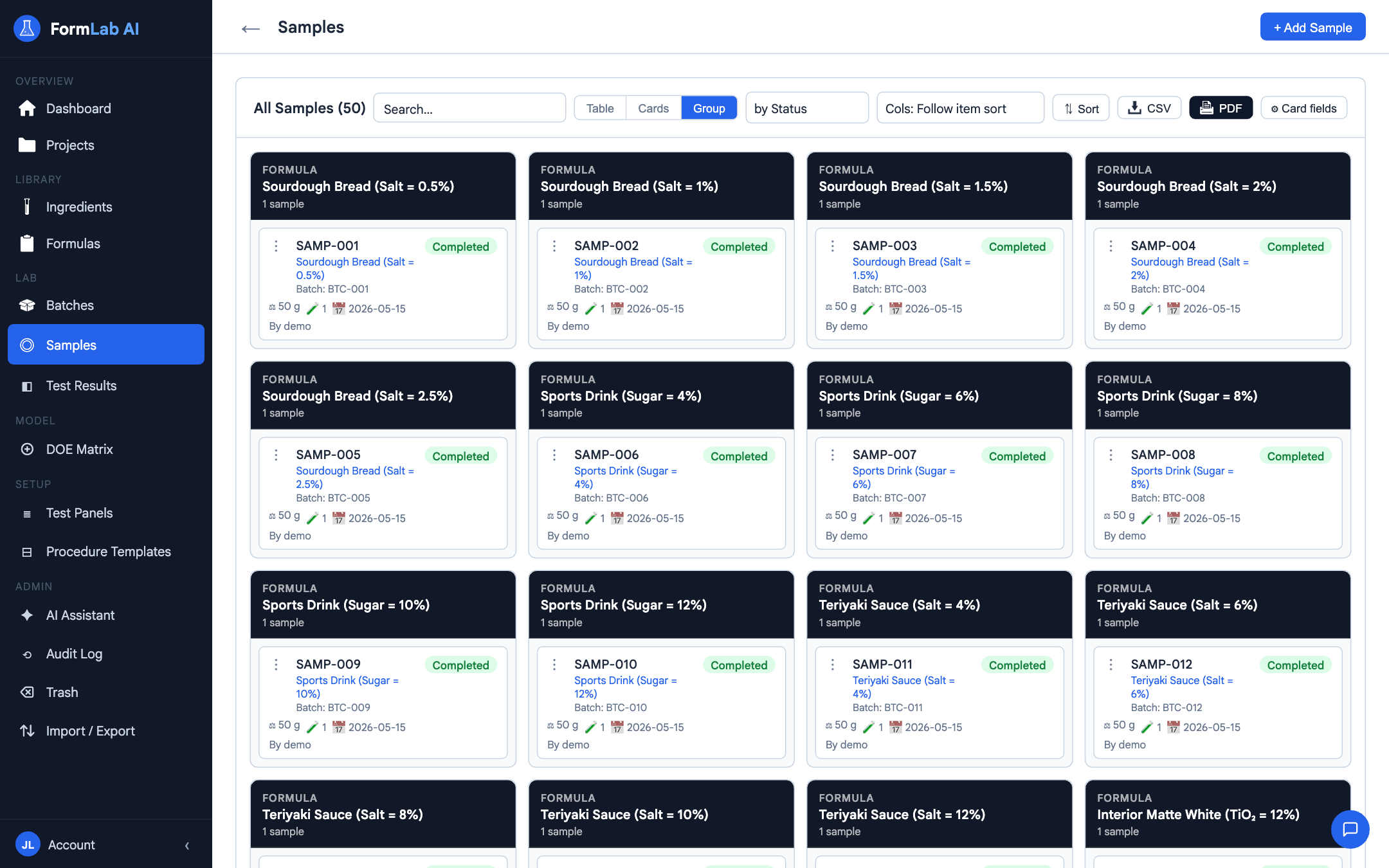
Batch & sample management

From formula to physical sample — full traceability.

Record production batches against a formula, draw samples from each batch with composition variants, and connect every test result back to the exact sample. No more orphaned bottles in the fridge.

  • Batches link to formula + production date
  • Per-sample composition variants
  • One click from a test result to the source formula
Batches and samples

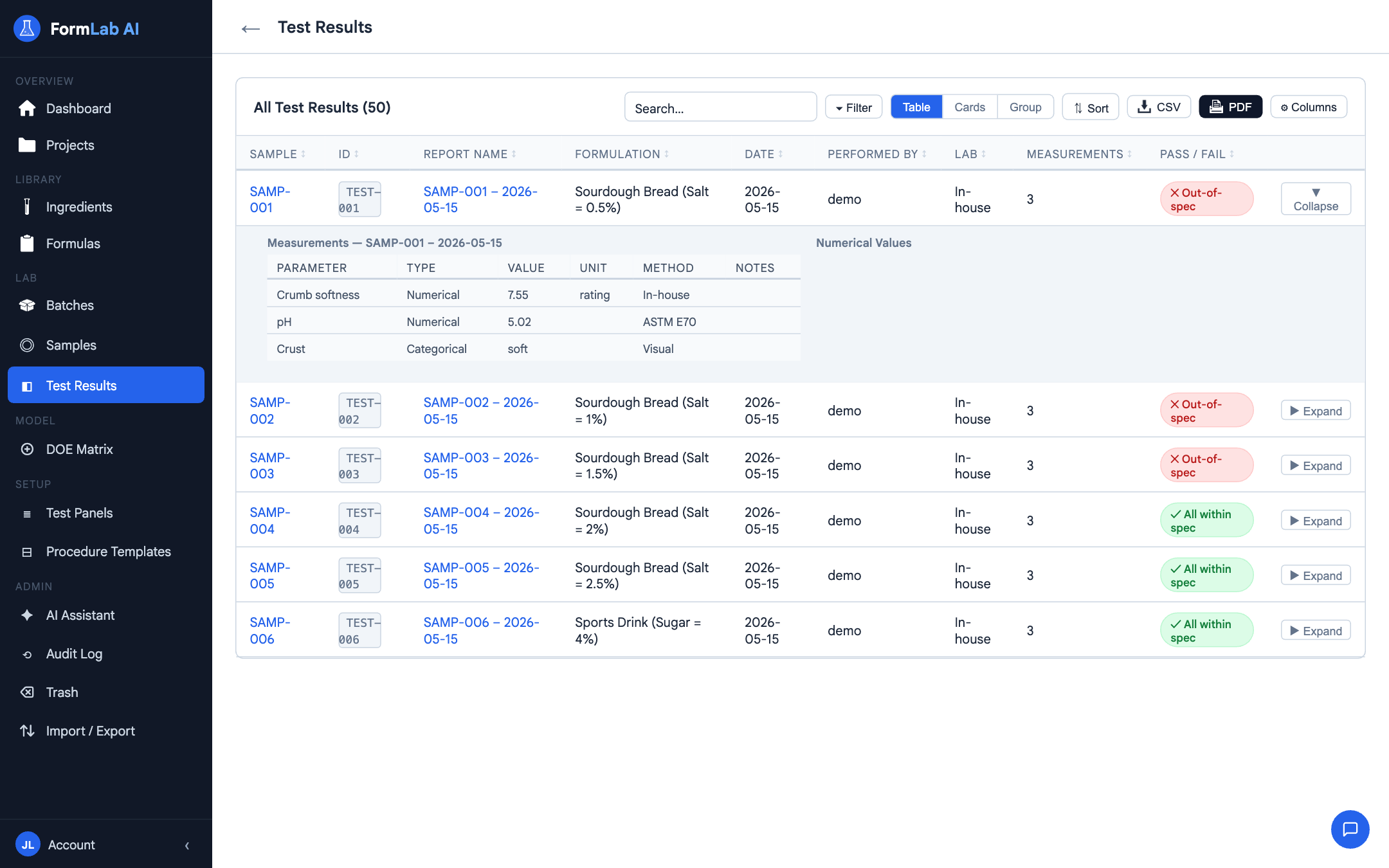
Analytical testing & statistics

Beyond data entry — actual statistics.

Structured measurement schema, correlation heatmaps, FDR-controlled significance, confidence interval bands, and brushing across plots. Spot the real signal in your test data, not just noise.

  • Correlation heatmap with FDR control
  • Confidence-interval bands & n-guards
  • Brush across formulas to filter every chart at once
Analytical testing and statistics

More power, where you need it.

Multi-formula compare

Put up to 8 formulas side-by-side. Pivot tables. Deltas highlighted automatically.

Data Assembler

Build custom cross-formula tables for downstream analysis. Export to CSV in one click.

AI Assistant

Ask questions about your dataset in plain language. Powered by Google Gemini.

Custom fields everywhere

Every entity is extensible. Add the fields your lab actually uses — without code.

CSV & print export

Export any table with your current sort, filter, and column layout preserved.

JSON import / export

Full database snapshot in or out, anytime. No lock-in, no proprietary format.

Built for daily use.

FormLab AI is the rare R&D tool that respects your time. Every table, every interaction, every keyboard shortcut — designed for people who use the app for hours, not minutes.

Sub-second responseEverything runs locally — no network round-trips, ever.
Keyboard-friendly tablesSort, filter, navigate without leaving the keyboard.
Column hide / reorder / resizeEvery table remembers your layout across reloads.
Per-view sort & filter memoryYour settings persist; you don't redo them every time.
Bulk select & bulk actionsEdit, delete, or export many rows at once.
Inline editingClick a cell, change it, move on. No modal-hopping.
Browser back / forward worksReal SPA history — your back button isn't a trap.
Sparklines in tablesSee trends without opening a chart view.
Offline-capableWorks on a plane, in a lab basement, anywhere.
One database, one windowNo tab juggling. No syncing. No logins.
Why FormLab AI.

Local-first

Your formulas, ingredients, and test data live in your browser. Not on our servers. Not on anyone's servers.

Zero friction

No installs. No accounts. No license keys. Open the URL and start formulating in five seconds.

No lock-in

Full JSON export, anytime. Take your data with you whenever you want — the format is open and human-readable.

Made for chemists

Density, MW, sub-formulations, unit math, DOE, FDR control — built around how a formulation lab actually works.

Frequently asked.

Is FormLab AI really free?

Yes. The current version is free to use. A paid Pro tier is planned — leave your email below to be notified when it launches.

Where is my data stored?

In your browser's localStorage, under the key formlab_db. Nothing is sent to any server. Clearing your browser data deletes it — export to JSON regularly.

Can I use it offline?

Yes. After the first load, FormLab AI runs entirely client-side. Take it on a plane or into a lab with no Wi-Fi.

What about my IP and formulation know-how?

Your data never leaves your machine. We can't see it, can't access it, can't lose it. (The AI Assistant is opt-in and uses your own Google Gemini key.)

Which browsers are supported?

Any modern browser with ES2020+ support — Chrome 90+, Firefox 88+, Safari 14+, Edge 90+.

Can multiple people work in the same database?

Not in the free version — each browser is its own database. Multi-user sync is on the roadmap for Pro.

Start formulating in five seconds.

No signup. No install. Your data stays in your browser.

Try FormLab AI — free